Messaging CDS
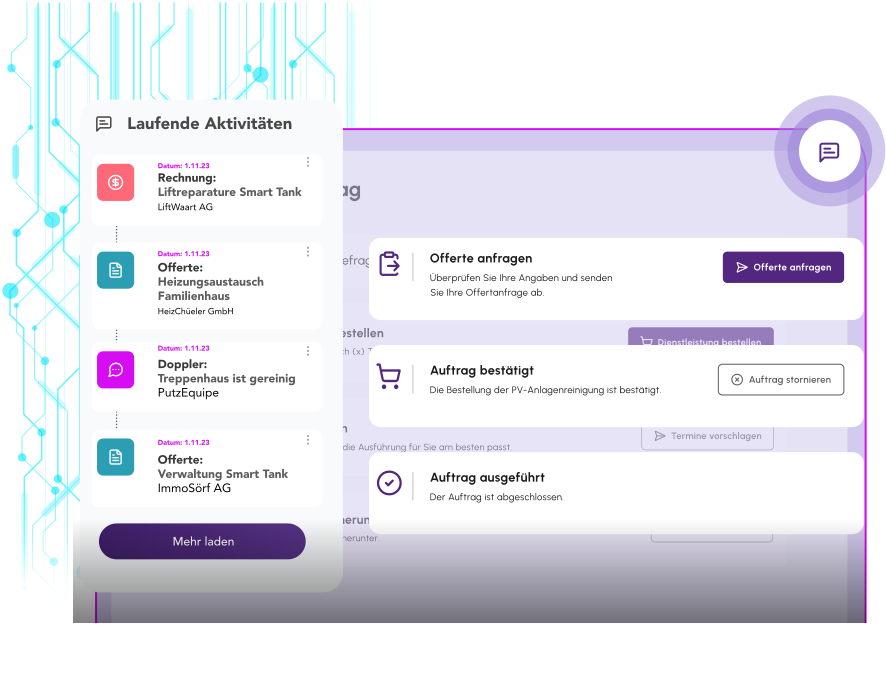
Structured Communication Module
The Messaging module is a communication system that enables structured messages between customers, employees, and systems. It centralizes all messages, organizes them by topic, and ensures complete traceability.
Key Features
| Funktion | Beschreibung | Nutzen |
|---|---|---|
✉️Message Sending | Sending structured messages with subject, content, and optional attachments. | Professional communication with complete documentation of all exchanges. |
📬Central Message Center | A unified overview of all incoming and outgoing messages with filtering options. | No lost emails or forgotten requests - everything in one place. |
🏷️Topic Assignment and Routing | Automatic assignment of messages to topics and forwarding to the responsible employees. | Faster handling through direct routing to the right person or department. |
📊Status Tracking and Assignment | Tracking of processing status with the ability to assign messages to other employees. | Transparent responsibilities and a clear overview of open, in-progress, and completed requests. |
💬Message Threading | Related messages are displayed as a thread with the full history. | Context is preserved, with no need for repeated explanations. |
📤Multi-Channel Delivery | Notifications via email, in-app notifications, or other messaging services. | Customers are reached through their preferred channel and never miss important messages. |
Message Sending
Beschreibung
Sending structured messages with subject, content, and optional attachments.
Nutzen
Professional communication with complete documentation of all exchanges.
Central Message Center
Beschreibung
A unified overview of all incoming and outgoing messages with filtering options.
Nutzen
No lost emails or forgotten requests - everything in one place.
Topic Assignment and Routing
Beschreibung
Automatic assignment of messages to topics and forwarding to the responsible employees.
Nutzen
Faster handling through direct routing to the right person or department.
Status Tracking and Assignment
Beschreibung
Tracking of processing status with the ability to assign messages to other employees.
Nutzen
Transparent responsibilities and a clear overview of open, in-progress, and completed requests.
Message Threading
Beschreibung
Related messages are displayed as a thread with the full history.
Nutzen
Context is preserved, with no need for repeated explanations.
Multi-Channel Delivery
Beschreibung
Notifications via email, in-app notifications, or other messaging services.
Nutzen
Customers are reached through their preferred channel and never miss important messages.
Practical Application Examples
Follow-Up Questions Right at the Content
Place a message field directly in the quote details or invoice views to give the customer the option to ask follow-up questions about the specific content. The message is automatically linked to the context, so the responsible employee immediately knows what it's about.
Customer Inquiry with Routing and Assignment
A customer asks a question about an invoice. The system automatically assigns the message to the "Invoices" topic and forwards it to accounting. There, it can be assigned to a specific employee, the status is tracked, and the customer receives notifications about status changes.

Ready for the next step?
Michael — Use our enterprise portal software to build innovative digital products. Michael is happy to advise you.