Bring your documents — we turn them into business applications.
What does re-typing cost you?
Three sliders, one number — the estimate comes from you, not from a claimed statistic.
Cost from
31'200 CHF/year
Time from
260 hrs/year
Based on an assumed hourly rate of CHF 120 and 52 working weeks. A first estimate, not a binding quote — we work out the exact figures in the Potential Analysis.
What you give us — and what you get back.
One form or forty: the same method. So you know up front whether your documents qualify.
What you give us
- Your PDF forms — the ones whose fields you can click into and type in. (The technical terms are AcroForm and XFA.)
- No scans, no photos. A photographed form is not a form — those are pixels where fields should be.
- The process around them: who fills them in, what happens to them next.
What you get back
- One application per form, in your design — not in ours. Your users see your brand, not a supplier's.
- One report per form: which fields were recognised, where we deliberately deviated, what the security check found.
- New version of the form? Regenerated, not rebuilt. Every run is recorded; you can look back at what changed when.
What we don't do: invent field names your PDF doesn't supply. If a document gives a field no label, it stays unlabelled — and the report tells you which one. An honest gap beats an invented label.
Not sure whether your forms qualify? Send us one — we'll tell you in a sentence whether it works. Contact
A paper form becomes an application.
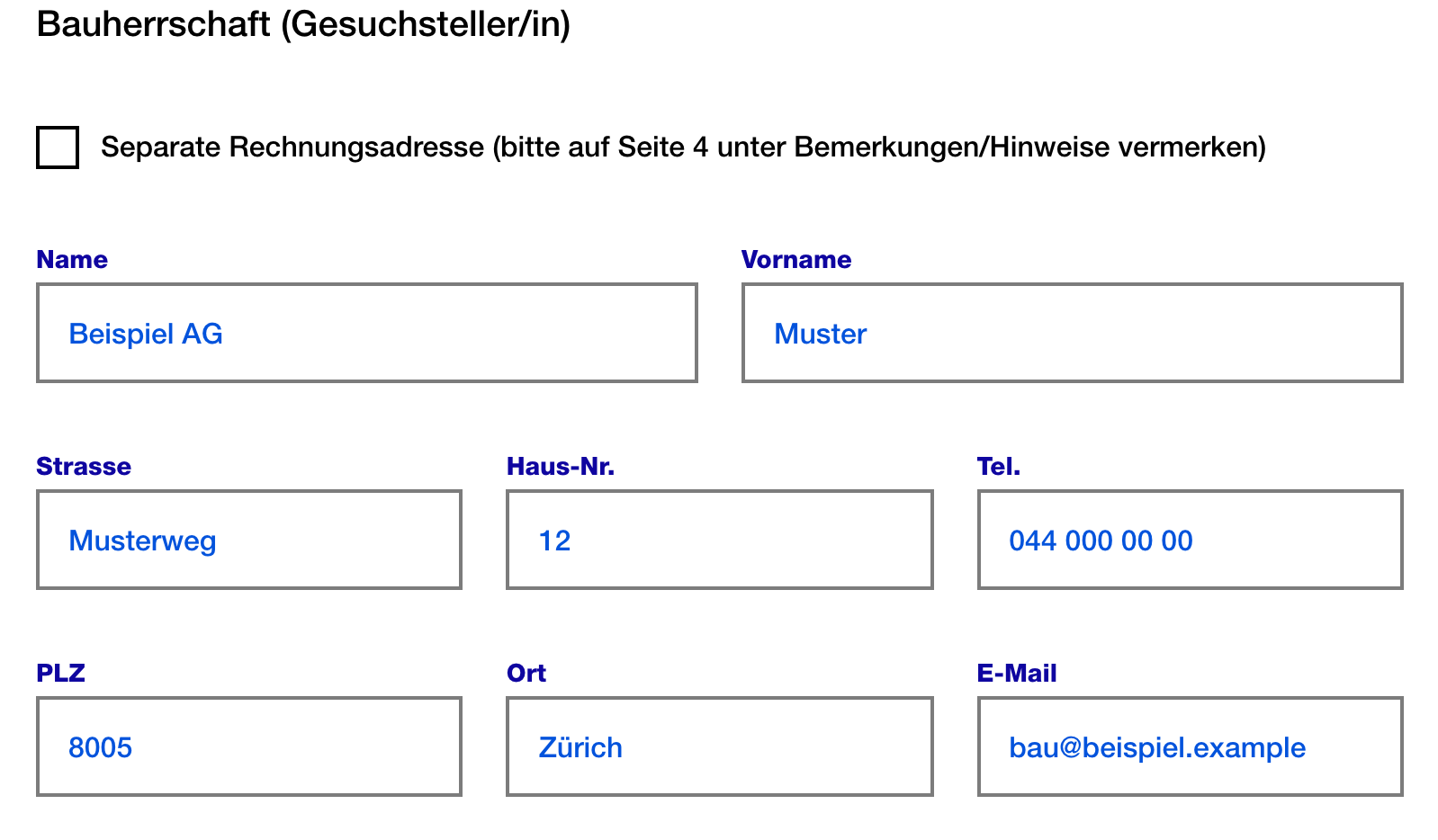
For the City of Zurich we turned a building application, a change-of-address notification and a power of attorney into applications, straight from the PDF. Above, the building application: first the paper, then the same fields as an application — the same excerpt, so you can compare.

What we have processed so far
- Three forms for the City of Zurich: 11, 26 and 221 fields. The same machine, no special treatment.
- Both PDF technologies: AcroForm and XFA. What your form carries becomes clear when we look at it.
- The largest one carried 283 embedded scripts. None of them becomes executable code in the application.
How it comes about
- The machine reads the PDF and proposes a structure. A review step objects, the machine corrects — for the building application, four rounds until no objection remained.
- Two questions stayed open that no tool can decide: what should an ambiguous field be called? We asked those, rather than guessing.
- Every run exists as a timestamped folder. You can read back what was decided when.
The honest limit: eight fields in the building application carried no label in the PDF. They stayed unlabelled in the application, and the report names each one. A tool that invents «field 9» here makes the gap invisible instead of fixable.
The same method, other documents.
Invoicing runs automatically
Invoices are created manually, from Excel and copy-paste — error-prone and slow.
The service generates the invoice from the case data, with your rates and rules.
Approval stays with you; dispatch only after your review.
Quote requests get prepared
Requests arrive by email and form; someone sorts and re-types them.
The service reads the request, classifies it and prepares the draft.
The decision about what becomes of it stays with you.
Support requests land in the right workflow
Requests land in a shared inbox; routing them takes time.
The service recognises the concern and routes it into the right flow.
Your people handle it — they just start at the right place.
A similar process at your company? Then it's worth a conversation.
From document to service — in three steps.
Show your documents and flow
In the Potential Analysis we look at your real documents and the flow — with a document focus.
We build on the CDS platform
Secure and integrated into your systems — enterprise security and connections are foundation, not project effort.
We run and keep developing it
A service, not a project — we maintain adjustments and new cases without you deploying a release.
What does a wrong answer cost?
Business processes, not chatbot play. That is why processing is deterministic, with audit trails and approval steps — the human stays in the loop.
Deterministic processing
Same input, same result — no random outputs. The logic is governed, not generatively guessed.
You can rely on the result.
Audit trails and approval
Every step is traceable, and approval stays with the human.
No automatic dispatch without your control.
Built and run in Switzerland
Built and operated by Quatico in Switzerland.
One point of contact, not an anonymous cloud service.
Our own first case.
The quote generator is Document-as-a-Service for the most important document type — the quote. We run it ourselves; that is dogfooding, not promises.Frequently asked questions
Your documents become applications.
Request a quote — we generate the applications from your forms and run them for you afterwards. If you want to examine the whole process first: the AI Potential Analysis looks at your real documents, paid, from two hours.

Rather talk in person?
Michael — Give us a call, send an email, or tell us what it is about — whichever you prefer.